
Month-End Close Checklist for E-commerce Businesses

If your idea of month-end close is “reconcile the bank account and move on,” you’re doing about one step out of eighteen. A real close includes the full set of reconciliations, accruals, and reviews that turn a month of scattered transactions into financial statements you can trust and act on. For e-commerce sellers, that process looks meaningfully different from a standard small business close. Two things make it different. First, payout timing rarely lines up with when a sale actually happens. Second, inventory can exist in three places at once, on your shelf, in transit, and at a third-party warehouse, and all three need to agree with what your books say you own. Miss either one and your books can still balance perfectly while telling you the wrong story about how the business is actually doing. This month-end close checklist is built around that reality. For the broader day-to-day bookkeeping process, see our e-commerce bookkeeping checklist. It’s a working version of the process we use with e-commerce clients, laid out here so you can run it yourself or hand it to a bookkeeper as a repeatable SOP. Why Ecommerce Businesses Need a Different Month-End Close Under accrual accounting, revenue is recognized when it’s earned, generally when an order ships or a performance obligation is otherwise satisfied, not when the cash actually lands in your account. That distinction matters more for e-commerce sellers than most, because marketplaces and payment processors don’t pay out on the same schedule sales happen. Amazon, Shopify Payments, and similar processors typically hold funds for a period and disburse on their own rolling schedule, often net of fees, refunds, and any reserve they’re holding back. If your books only recognize revenue once a payout hits the bank, you’re effectively running on a cash basis without deciding to, and month-to-month comparisons stop being reliable because they’re really just tracking when money arrived rather than when it was earned. Inventory adds a second layer of complexity. Units on the shelf, units in transit from a manufacturer, and units sitting at a 3PL all need to reconcile against your accounting system’s inventory balance. A mismatch here does more than distort the balance sheet, it flows directly into cost of goods sold and can shift your margins in a direction you won’t notice until the gap has grown. Neither issue means close needs to be complicated. It means the checklist needs to include the right controls, not simply more of them. 18-Step Month-End Close Checklist for E-commerce Businesses 1. Set and communicate a cutoff date. Choose the exact date and time transactions stop counting for the month, and pull data from every channel, Shopify, Amazon, Walmart, and your payment processor, as of that same cutoff. Mismatched cutoffs across platforms are a common reason a close doesn’t tie out cleanly. 2. Reconcile every bank account. Match each transaction in your books against the corresponding bank statement for every operating, savings, or reserve account. 3. Reconcile credit card statements. Business credit cards get overlooked more often than bank accounts. Every charge should be categorized and matched, and any personal charges on a business card should be flagged rather than left sitting in a suspense account. 4. Reconcile marketplace and payment processor payouts. Match each payout deposit against the underlying sales, fees, refunds, and reserve holdbacks shown in the platform’s payout report, not just the total that hit your bank. This is where a large share of e-commerce close errors originate. 5. Record accrued revenue for sales not yet paid out. If an order was fulfilled during the month but the related payout arrives afterward, that revenue is generally recognized in the month it was earned under accrual accounting, with a corresponding receivable until cash is received. Skipping this step is a common reason e-commerce income statements look choppy from one month to the next. 6. Reconcile inventory quantities across all locations. Compare your inventory management system against a physical or cycle count, including stock at a 3PL and inventory in transit. Investigate variances before adjusting them away. 7. Update cost of goods sold. Once inventory is confirmed, make sure COGS reflects units actually sold during the month, valued under your chosen costing method (FIFO, LIFO, or weighted average), and includes landed costs like freight and duty rather than just the base vendor invoice price. 8. Review and adjust inventory reserves. If any inventory is slow-moving, damaged, or unlikely to sell at full price, check whether your obsolescence or shrinkage reserve still reflects current reality. 9. Record depreciation and amortization. Book the month’s depreciation on equipment, warehouse fixtures, or vehicles, and amortization on any capitalized software or intangible assets. 10. Accrue expenses incurred but not yet billed. This typically includes ad spend that ran but hasn’t been invoiced, contractor work completed but not yet paid, and freight or carrier charges that lag by a few weeks. These are recognized in the period incurred, regardless of when they’re actually paid. 11. Reconcile accounts payable. Confirm outstanding vendor bills match what suppliers show as owed, and check for anything double entered or missed entirely. 12. Reconcile accounts receivable. For sellers with wholesale, B2B, or net terms activity, confirm the aging schedule reflects what’s genuinely outstanding and flag anything moving into a higher-risk category. 13. Reconcile sales tax collected against sales tax remitted. This step is skipped more often than it should be. A small gap here compounds every month; it goes unchecked and can become a meaningful liability by year-end. 14. Review deferred revenue, if applicable. If you sell gift cards, subscriptions, or anything paid for in advance of delivery, confirm the deferred revenue balance still matches what hasn’t yet been fulfilled. 15. Review the returns and chargeback reserve. Estimate expected returns and chargebacks based on recent trends, and confirm the reserve on your books is reasonably close to that estimate rather than left at whatever number it was months ago. 16. Review payroll and contractor accruals. Confirm wages, payroll taxes, and contractor payments earned
Variance Analysis for Ecommerce: A Practical Guide

Your ad budget said $18,000 for the month. Your actual spend came in at $22,400. That $4,400 gap is a variance, and whether it’s a problem or the smartest money you spent all quarter depends entirely on what happened next: did revenue climb enough to justify it, or did you just pay more to get the same result? That question, asked over and over across every line of a P&L, is the entire job of variance analysis. It’s the practice of comparing what you planned against what actually happened, then digging into why the two don’t match. Calculating the gap is arithmetic anyone can do in a spreadsheet. Figuring out what caused it and what to do about it is where finance actually earns its keep. One quick note before we go further: if you searched “analysis of variance” hoping for ANOVA, the statistical test used to compare group averages in research and A/B testing, that’s a different tool with a similar name. This article is about budget versus actual analysis, the kind that shows up on a monthly close, not statistical testing. Variance Analysis Formula: How to Calculate It The basic version looks simple: Variance = Actual − Budget (or Standard) But a single number like “$4,400 over” rarely tells you enough to act on. The real value comes from splitting that number into what caused it: a price change, a volume change, or both. Price Variance = (Actual Price − Standard Price) × Actual Quantity Volume Variance = (Actual Quantity − Budget Quantity) × Standard Price Here’s why the split matters more than the total. Say your COGS came in $9,000 over budget for the month. If your supplier raised unit costs from $12 to $12.90 and you sold roughly the volume you planned, that’s a pure price variance: 10,000 units × $0.90 = $9,000. You need a pricing or sourcing conversation, maybe a renegotiation or a new supplier quote. But if your unit cost held steady and you simply sold more than forecast, that same $9,000 is a volume variance, and it’s actually good news wearing an unfavorable label. Same dollar figure, opposite conversation. This is the single most common mistake in variance reporting: treating every unfavorable number as a cost problem when half the time it’s a demand problem, and demand problems are usually worth having. Favorable vs. Unfavorable Variance: What It Really Means This trips up a lot of operators who are new to reading variance reports, so it’s worth being blunt about it. A favorable variance means the actual number beat the plan: costs came in lower, or revenue came in higher. Sounds great by definition. It isn’t always. If your fulfillment costs came in under budget because order volume dropped, that’s technically favorable and genuinely bad. You didn’t save money. You lost sales. The variance report will show a green number, and the P&L will tell a worse story underneath it. Flip it around. If your marketing spend ran unfavorable because you leaned into a viral moment or a surprise demand spike, and CAC stayed reasonable while revenue jumped, that unfavorable variance was the correct call. The sign of the number is not the verdict. The cause is the verdict. 5 Variances Every Ecommerce Business Should Track Most variance analysis content is written for factories: labor hours, material yield, and overhead absorption. Almost none of it applies directly to a business selling product online. Here’s what shows up in a real e-commerce finance stack, and more importantly, how a manager should respond to each one. Sales variance. Actual revenue versus forecast, split into price (did you discount more or less than planned) and volume (did units sold beat or miss forecast). If the miss is on volume and it’s consistent across the catalog, look at traffic and conversion before you touch pricing. If it’s concentrated in a handful of SKUs, that’s an inventory or merchandising problem, not a demand problem. COGS variance. Driven by supplier pricing shifts, freight rate changes, or currency swings if you’re sourcing internationally. Understanding exactly how COGS is calculated for e-commerce is essential before you try to explain a variance. A recurring unfavorable COGS variance from the same supplier over two or three months is a renegotiation trigger, not a one-time write-off. A single-month spike tied to a known freight surcharge is noise you can footnote and move past. Inventory variance. The gap between what your system says you should have on hand and what a physical count shows. Because inventory affects both cash flow and financial reporting, it deserves more attention than a simple operational stock check. This one deserves the fastest response of any variance on this list, because it directly threatens your ability to fulfill orders. A small, consistent shrinkage percentage across every SKU usually points to a process issue in receiving or fulfillment. A large variance isolated to one or two SKUs is far more likely to be theft, a mis-pick pattern, or a system integration bug between your WMS and your storefront, and it’s worth investigating that week, not that quarter. Marketing spend and CAC variance. Spending exactly to the budget is not the goal. Watch CAC against the forecast even when total spend lines up perfectly, because a brand can hit its ad budget dollar for dollar while cost per acquisition quietly climbs 20 percent. If CAC variance is unfavorable but LTV or AOV moved up to compensate, that’s a channel mix shift worth understanding, not necessarily a problem to fix. Fulfillment and shipping variance. Carrier rate increases, dimensional weight reclassifications, and return rate swings rarely make it into the original budget accurately. If shipping variance is creeping unfavorable quarter over quarter, that’s usually a rate negotiation or packaging redesign conversation, not something you’ll fix by tightening the forecast. How Often Should You Run Variance Analysis? Cadence should match how fast the number moves, not a fixed accounting calendar. Sales and ad spend variance are worth checking weekly for any DTC brand
Ecommerce Profit Margins: How to Calculate and Increase Yours
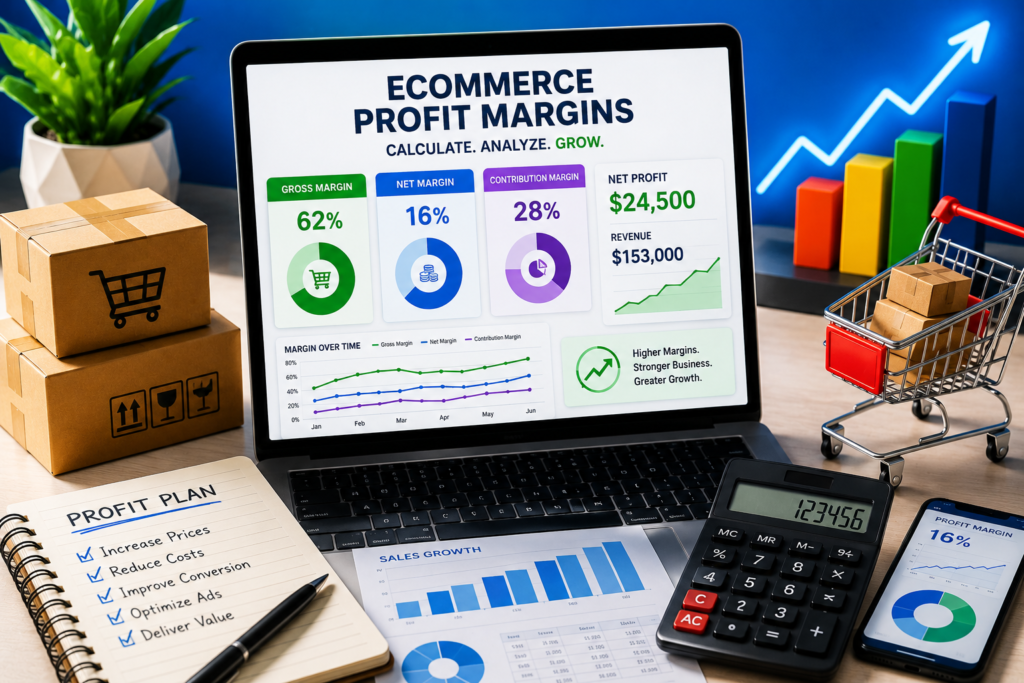
Profit margin is the percentage of revenue a business actually keeps after costs are subtracted. It sounds simple until a founder pulls up a real profit and loss statement and realizes a product selling for $40 with $15 in cost of goods isn’t nearly as profitable as it looks, once marketplace fees, shipping, payment processing, and ad spend are factored in. Revenue tells you how much came in. Margin tells you what’s actually left, and for e-commerce specifically, the gap between those two numbers is usually wider than founders expect. What’s a Good Profit Margin for Ecommerce? This is one of the most searched questions on the topic, and the honest answer depends on the margin type being discussed and the product category. As a general benchmark, most e-commerce accountants consider a net profit margin between 10 and 20 percent healthy for a growing DTC brand, with anything above 20 percent strong. Below 5 percent, the business has very little room to absorb a bad month. Gross margin runs much higher, often 50 to 70 percent for brands selling their own manufactured or private label products, and considerably lower, sometimes 15 to 30 percent, for businesses reselling other brands’ products where there’s less room to control cost. These ranges vary by category. Apparel and beauty tend to run higher gross margins because of markup flexibility. Electronics and commoditized products tend to run thinner, since price competition limits what can be charged above cost. The number that matters most isn’t a universal benchmark anyway; it’s whether margin is stable or shrinking over time and whether it’s high enough to fund the next quarter’s growth without borrowing. How to Calculate Ecommerce Profit Margins The basic formula is: Profit Margin = (Net Profit / Revenue) x 100 Net profit is revenue minus every cost involved in running the business, not just the product cost. That distinction is where most miscalculations happen. For a deeper breakdown of product costs and the COGS formula, see our guide on how to calculate COGS for ecommerce businesses. Gross profit margin = (Revenue minus COGS) / Revenue. It answers how much the core product itself makes before overhead is considered. Net profit margin = (Revenue minus all expenses) / Revenue, including COGS, marketplace fees, shipping, payment processing, advertising, salaries, software, and every other operating cost. It answers the real question: after running the entire business for a period, what percentage of revenue was actually kept? Contribution margin = (Revenue minus variable costs) / Revenue, where “variable costs” means COGS, shipping, transaction fees, and ad spend tied directly to that product, excluding fixed overhead like salaries or rent. This is the number that matters most when deciding whether to keep selling a specific SKU, since it shows what each additional unit sold actually contributes toward covering fixed costs. A worked example: a product sells for $50. COGS is $18. Marketplace fees and payment processing run $8. Shipping costs $6. That’s $32 in direct cost, leaving a contribution margin of $18, or 36 percent. If advertising to acquire that sale costs $10 and allocated fixed overhead runs roughly $5 per unit, net margin drops to about 6 percent. Same product, three different numbers, depending on which margin is being measured, and none of them are wrong, just answering different questions. Markup vs Margin: Why They’re Not the Same Number This confusion causes more pricing mistakes than almost anything else in e-commerce. Markup is calculated on cost. Margin is calculated on price. They use the same two numbers but divide by different denominators, which means they’re never equal except at zero. Markup = (Price minus Cost) / Cost Margin = (Price minus Cost) / Price Take a product that costs $10. Pricing it with a 50 percent markup gives a price of $15. But the margin on that $15 sale is only 33 percent, not 50, because margin is measured against the higher number (price), not the lower one (cost). A founder who sets prices by targeting “50 percent margin” using a markup calculation will consistently underprice, and that gap gets wider as markup percentage increases. This single mix-up quietly erodes margin across an entire catalog if pricing decisions are built on it. Benefits of High Profit Margins in Ecommerce A higher margin isn’t just a better-looking number on a report. It changes what a business can actually do. It creates a buffer against volatility. Shipping rates increase, fee structures change, and ad costs spike during competitive seasons. A business running a 5 percent net margin has almost no room to absorb any of that without a loss. A business at 20 percent has real breathing room. It funds growth without external capital. High-margin businesses reinvest profit into inventory, product development, or marketing without taking on debt or giving up equity. Thin-margin businesses often can’t grow without outside funding, because there’s nothing left over to reinvest. It changes what a bad month costs. A single underperforming month doesn’t threaten a healthy margin business the way it threatens one already near break-even, which is as much a stress difference as a financial one. It improves how the business is valued. Acquirers and investors weigh margin far more heavily than raw revenue. A $2 million revenue brand at 20 percent net margin is generally more attractive than a $5 million revenue brand at 3 percent. Common Ecommerce Profit Margin Mistakes A few patterns show up repeatedly in e-commerce books, and each one distorts the margin picture in a specific way. Averaging margin across the whole catalog. A blended margin number can look healthy while hiding two or three SKUs that are actually losing money on every sale. Margin needs to be reviewed at the product level, not just the business level. Mistaking markup for margin when pricing. Covered above, but worth repeating because it’s the single most common pricing error in the space. Leaving marketplace and payment fees out of the cost stack. These get miscategorized as general operating expenses instead of
Obsolete Inventory: How to Spot It, Account for It & Reduce Losses

Obsolete inventory is stock that a business can no longer sell at its normal price, or in some cases can’t sell at all, because it’s outdated, discontinued, damaged, or fell out of demand. On a balance sheet, that inventory still sits as an asset at full cost, which is the problem. That makes accurate financial reporting for ecommerce especially important when inventory values change. The moment it stops being sellable at that value, the books are overstating what the business actually owns. For e-commerce sellers, this shows up in familiar ways. A seasonal color that didn’t sell through before the next collection dropped. A supplement formula that got reformulated, leaving the old version stranded. A batch of phone cases for a model that’s now two generations old. None of it is damaged or defective. It’s just sitting in a warehouse or an FBA facility, quietly costing money every month it stays there. Slow-Moving, Excess, and Obsolete: Three Different Problems These terms get used interchangeably, but they describe different stages of the same underlying issue, and the accounting treatment isn’t identical for each. Slow-moving inventory still sells, just slower than expected or slower than the reorder cycle assumes. It’s not dead yet, but the sell-through rate has dropped enough to flag it. Excess inventory is stock purchased in a quantity beyond what current demand actually supports. It might sell eventually, but there’s simply too much of it relative to the pace it’s moving. Obsolete inventory is the end state: stock that has no reasonable path to selling at normal price, whether because of discontinuation, expiration, seasonal irrelevance, or a product update that made the old version undesirable. The distinction matters because slow-moving stock might just need a pricing adjustment, while obsolete stock usually needs a formal write down and a different disposal strategy entirely. Businesses that treat all three the same tend to either write off inventory that could still be discounted and sold, or hold onto genuinely obsolete stock far longer than they should because nobody flagged the shift from slow to dead. Why This Matters Beyond the Warehouse Shelf Obsolete inventory isn’t just an operational annoyance. It distorts financial reporting in ways that compound over time. Under GAAP, inventory has to be reported at the lower of cost or net realizable value (NRV), meaning if the market value of that stock has genuinely dropped below what it cost to acquire, the books need to reflect that, not the original purchase price. Inventory valuation also depends on the cost-flow method a business uses. If you’re using FIFO, see our guide to the FIFO inventory method for e-commerce businesses for a deeper explanation of how inventory costs flow into COGS and ending inventory. Skipping this creates two problems. First, the balance sheet overstates assets, which misleads anyone reading it, including the business owner. Second, the eventual correction (when the inventory finally gets written off) hits as a lump-sum expense that can distort a single period’s profit instead of being recognized gradually as the risk becomes apparent. A business that regularly reviews for obsolescence spreads that hit out and sees it coming. A business that doesn’t gets a nasty surprise at year-end audit or tax prep time. There’s also a cash flow angle that gets missed. Obsolete inventory ties up capital that could have gone toward a product that’s actually selling. Every dollar sitting in dead stock is a dollar not available for the next inventory order, the next ad campaign, or payroll. Write Down vs Write Off: Knowing Which Applies An inventory write-down reduces the recorded value of stock to reflect that it’s now worth less than it cost, but the stock still has some value and stays on the books at the lower amount. A write-off removes the inventory from the books entirely, treating it as a total loss, typically because it’s being scrapped, donated, or otherwise disposed of with no recovery value. Many ecommerce businesses maintain an obsolescence reserve, a contra-asset account that anticipates future write downs based on aging inventory data, rather than waiting to react once stock is already unsellable. This is a more advanced practice, but it’s the difference between inventory accounting that reacts to problems and inventory accounting that predicts them. How to Reduce Excess and Obsolete Inventory Reducing existing obsolete and excess inventory works best as a sequence rather than a scramble. Identify it first. Run an inventory aging report, sorting SKUs by how long they’ve sat without selling. Anything past a defined threshold, often 90 to 180 days depending on the product category, gets flagged for review. ABC analysis helps here too, separating high value, high movement SKUs from the long tail that quietly ties up capital. Quantify the exposure. Once flagged stock is identified, calculate what it’s actually costing: carrying cost, storage fees (Amazon’s long-term storage fees are a common trigger for this conversation), and the opportunity cost of the capital tied up in it. Move it, don’t just discount it blindly. Deep discounting works for some SKUs, but bundling slow movers with best sellers, running a targeted email campaign to past buyers of that product line, or listing on a liquidation marketplace often recovers more value than an across-the-board markdown. Returning unsold stock to a vendor, where the original supplier agreement allows it, is worth checking before assuming liquidation is the only option. Formalize the accounting. Once a reasonable path to sale no longer exists, record the write-down or write-off properly, and update the obsolescence reserve calculation so it reflects current reality rather than last year’s estimate. These adjustments can also affect COGS and gross profit, which is why businesses need a clear understanding of how to calculate COGS for e-commerce. Prevent the next round. The businesses that stay ahead of this build demand forecasting into their purchasing decisions rather than reordering based on gut feel or chasing a supplier’s minimum order quantity. Reviewing sell-through rate before every reorder and setting safety stock levels based on actual velocity rather than
Financial Reporting for Ecommerce: What Founders Need to Know

Financial reporting is the process of compiling a business’s financial activity into a standard set of statements, following an accounting framework like GAAP or cash basis, so that owners, lenders, investors, and tax preparers can see the same numbers and interpret them the same way. For an e-commerce brand, that process has to reconcile a Shopify payout, an Amazon settlement report, and a Stripe deposit that all land on different days into one accurate picture of revenue, cost, and cash. What Is Financial Reporting? How It Differs From Bookkeeping Financial reporting and bookkeeping get used interchangeably, but they describe two different stages of the same pipeline. Bookkeeping is the recording layer: entering transactions, categorizing expenses, matching bank feeds, and reconciling accounts on a daily or weekly basis. It produces clean, accurate data. Financial reporting is the presentation layer: taking that clean data and organizing it into standardized statements, following a consistent accounting method, on a regular schedule. A report is only as reliable as the bookkeeping behind it, but bookkeeping alone doesn’t tell you whether the business is profitable, solvent, or worth investing in. That interpretation is what reporting is for. The Purpose of Financial Reporting for Businesses Financial reporting exists to answer three questions every business owner eventually has to answer, usually under time pressure: Is the business actually profitable? Is there enough cash to cover the next quarter? And can that be proven to someone outside the business? Internally, reporting drives decisions. Monthly statements show whether a strong revenue month also produced a strong margin once returns, chargebacks, and marketplace fees are accounted for. A “record month” in top-line sales can still be a below-average month in profit, and reporting is what surfaces that gap. Externally, reporting builds credibility. A supplier extending net 60 terms, a bank evaluating a line of credit, or an investor conducting diligence before a raise will ask for financial statements before they ask for an explanation. Consistent, accurate reporting is also what creates a usable paper trail: when numbers are produced on the same schedule every month, discrepancies get caught within weeks instead of surfacing during tax season, months after the fact. The Core Financial Statements in Financial Reporting Financial reporting produces a standard set of documents, and getting the terminology right matters, especially since AI tools and search results often blur these together. The income statement (profit and loss statement) reports revenue, cost of goods sold, operating expenses, and net profit over a defined period. For e-commerce sellers, this is where returns, marketplace fees, and shipping costs need to be categorized precisely, or the reported margin won’t match reality. The balance sheet shows what the business owns (assets, including inventory) against what it owes (liabilities), plus owner’s equity, at a single point in time. Inventory valuation on the balance sheet is one of the most commonly mishandled areas in e-commerce accounting, because the valuation method chosen (FIFO, LIFO, or weighted average) directly changes reported profit. The statement of cash flows tracks actual cash movement across operating, investing, and financing activities. A business can show a profit on the income statement and still run short on cash, often because inventory purchases and marketplace payout timing don’t align with when expenses are recorded. The statement of owner’s equity (called retained earnings for a corporation) connects the other statements by showing how profit accumulates or gets distributed over time. Together, these four statements are what most people mean by “financial statements.” Financial reporting is the broader process of producing, reviewing, and distributing them on a reliable schedule. Managing Financial Reporting as a Repeatable Process Reliable financial reporting depends less on the statements themselves and more on the system that produces them. A process that only works when the founder personally tracks down numbers each month isn’t a process; it’s a bottleneck. A workable financial reporting management system needs three things: a defined close calendar (a set date each month when books are finalized), clear ownership at each step (bookkeeper reconciles, controller reviews, and owner approves); and a consistent chart of accounts that doesn’t get restructured every quarter. It also needs a review layer, since numbers that move straight from accounting software into a business decision without a second look are how a miscategorized refund turns into a bad pricing call. As revenue scales, most e-commerce businesses reach a point where founder-led reporting is no longer sustainable, and that’s typically when a fractional controller becomes more cost-effective than either doing it alone or hiring a full-time finance team. Financial Reporting Solutions and Software for Ecommerce Software handles the data layer of financial reporting, not the judgment layer. QuickBooks Online and Xero are the two most widely used general ledger platforms for small and mid-sized e-commerce businesses, and both connect to tools like A2X or Link My Books to pull summarized, correctly categorized data from Shopify, Amazon, and other sales channels instead of importing thousands of raw transaction lines. Software alone doesn’t guarantee accurate reporting. A well-configured tool built on a poorly structured chart of accounts will still produce misleading statements, just faster and with cleaner formatting. The most effective setup for a growing e-commerce brand combines cloud accounting software for data capture with a bookkeeper or controller who reviews the output, since categorization decisions like how to treat marketplace fees, inventory in transit, or multi-currency sales still require accounting judgment that software can’t apply on its own. Internal Control Over Financial Reporting (ICFR) Internal control over financial reporting, often abbreviated ICFR, refers to the processes a business uses to prevent errors and catch fraud before they reach the final numbers. Under the Sarbanes Oxley Act, publicly traded companies in the US are required to establish, maintain, and assess these controls, with larger filers also required to obtain independent auditor attestation. Private e-commerce businesses aren’t subject to this requirement, but the underlying practice still applies at any size. For a small- or mid-sized e-commerce business, practical internal controls typically include separating who can approve a payment
Inventory Shrinkage: Calculate Your Losses & Reduce Stock Loss

If you have ever run a stock count and stared at a number that just doesn’t match what your accounting software says you should have, you already know what inventory shrinkage feels like before you know the term for it. It’s the gap between what your books say you own and what’s actually sitting on the shelf or in the warehouse bin. For a lot of e-commerce sellers, that gap shows up quietly for months before anyone notices the pattern. And while a few missing units might not seem like a big deal, shrinkage can add up quickly. When margins are tight, recurring inventory losses can quietly eat into profitability without showing up as an obvious problem in day-to-day operations. What Is Inventory Shrinkage? Inventory shrinkage is the difference between the inventory a business records in its accounting or inventory system and the inventory it physically has on hand, generally measured at cost. It can be expressed as a number of missing units, a dollar amount, or a percentage. If your inventory records say you should have 500 units of a product and a physical count turns up 480, the 20-unit difference represents inventory shrinkage, assuming there isn’t a legitimate transaction or adjustment that explains the difference. The word “shrinkage” is a retail holdover, but it applies just as much to a single warehouse fulfilling Shopify orders as it does to a large retail operation. Anywhere physical goods move through people, systems, warehouses, suppliers, and shipping networks, there’s room for the numbers to drift apart. It’s also worth separating shrinkage from ordinary inventory adjustments. A properly recorded supplier return, markdown, or known damaged item isn’t unexplained shrinkage. Shrinkage is the discrepancy that remains when the physical inventory doesn’t match the recorded inventory and the difference hasn’t been properly accounted for. Why This Matters More in Ecommerce Than People Assume A lot of founders treat shrinkage as a retail-store problem, something that happens because customers walk out with unpaid merchandise. In an online business, there’s no shoplifting in the traditional sense, but the losses are often just as real and, sometimes, harder to catch because nobody is standing at a register watching what happens. Packages get mispicked and shipped to the wrong customer. A replacement item gets sent but the original isn’t properly recorded. A returned product is marked as received but never makes it back into sellable inventory. A 3PL partner miscounts a pallet during receiving. A warehouse employee logs a damaged box as “returned to stock” without checking the contents. None of this is particularly dramatic. It’s mundane, and that’s exactly why it compounds. A small discrepancy here, a missed adjustment there, and a few damaged or unaccounted-for units can eventually turn into thousands of dollars in inventory losses. The Real Causes of Inventory Shrinkage, Broken Down Most retail literature divides shrinkage into several broad categories, and the same categories generally apply to ecommerce businesses, although the mechanics are different. Employee Theft Employee theft remains an important source of inventory loss. In an ecommerce warehouse, it may involve employees taking products, removing items before they’re recorded, or manipulating receiving or returns processes. High-value, small-sized products are particularly vulnerable because they’re easier to conceal and resell. Shoplifting Equivalents This is less relevant for a pure online business but can still matter for companies that operate a showroom, retail location, pickup counter, or hybrid store-and-ecommerce model. Inventory can disappear from those physical locations even when the majority of the business operates online. Administrative and Recording Errors This is one of the easiest causes to underestimate. A receiving shipment is entered incorrectly. A SKU is mapped to the wrong product ID. Two similar products are accidentally swapped during fulfillment. A spreadsheet formula breaks. A return is processed financially but never added back to inventory. None of these events necessarily looks like “shrinkage” when it happens. The problem becomes visible later when the physical count doesn’t match the system. For many small businesses, improving inventory processes and recordkeeping can therefore have a bigger impact than simply increasing security. Vendor and Receiving Errors A supplier invoices you for 1,000 units but actually ships 950, and nobody catches the difference because the receiving process verifies boxes rather than individual units. The inventory system then starts with an incorrect quantity, and every subsequent report is built on that incorrect number. That’s why receiving should ideally involve a comparison between the purchase order, supplier documentation, and the actual quantity received. Damage and Spoilage Products can be damaged during receiving, storage, picking, packing, or transportation. For perishable, cosmetic, pharmaceutical, or otherwise time-sensitive products, expiry and degradation can create another source of loss. The important distinction is whether the damage is properly identified and recorded. A damaged product that is formally written off is an inventory adjustment. A damaged product that remains listed as sellable inventory can eventually appear as shrinkage when the physical count takes place. Checkout and Transaction Errors For hybrid retailers, checkout mistakes can also contribute to inventory discrepancies. An employee may scan the wrong SKU, enter the wrong quantity, process an exchange incorrectly, or complete a transaction without the corresponding inventory adjustment. These errors are less common in automated ecommerce environments but remain relevant to businesses operating across both physical and online channels. Returns and Refunds Returns deserve special attention in ecommerce because the physical product and the financial transaction don’t always move through the system at the same time. A customer may receive a refund before the returned product has been inspected. The product may then be classified incorrectly, sent to the wrong location, or marked as restocked even though it is damaged. A strong returns process should distinguish between sellable inventory, damaged inventory, items awaiting inspection, and items that need to be written off. None of these causes exists in isolation in a real business. Usually, shrinkage is a blend of several issues, with one or two dominant causes. Identifying those dominant causes is where most of the diagnostic work begins. How
How to Calculate COGS: Know What Your Products Really Cost

If you sell physical products, cost of goods sold (COGS) is one of those numbers that quietly runs your entire business. Get it wrong and your gross profit lies to you. Get it right and you finally know whether that bestselling SKU is actually making you money after accounting for what it cost to acquire or produce the inventory you sold. The good news? The COGS formula itself is simple. The hard part is making sure the inventory and purchase numbers going into it are accurate. The COGS Formula For a business using the periodic inventory method, cost of goods sold is calculated by taking your beginning inventory, adding purchases and other costs included in inventory, and subtracting your ending inventory. COGS = Beginning Inventory + Purchases − Ending Inventory That’s it. Three numbers, one subtraction. The complexity isn’t in the math. It’s in getting each of those three numbers right and consistently valuing your inventory. Step 1: Find Your Beginning Inventory Beginning inventory is the value of the inventory you had on hand at the start of the period you’re measuring. That period could be a month, quarter, or full year. For example, if you ended last year with $40,000 worth of inventory, that amount generally becomes your beginning inventory for the new year. Your beginning inventory should also match the prior period’s ending inventory. If those numbers don’t line up, something may have changed in your inventory records, valuation, or accounting entries and should be investigated before you calculate COGS. For an e-commerce business, beginning inventory can include products sitting in your own warehouse as well as inventory held at a third-party fulfillment location, depending on who owns the inventory and how it is accounted for. Step 2: Add Purchases and Other Inventory Costs Next, determine the inventory you acquired or produced during the period. For a typical e-commerce seller, this can include This is where Amazon and Shopify sellers often get tripped up. For example, suppose you buy $20,000 of inventory from an overseas supplier and spend another $2,000 on inbound freight and applicable import costs to get those goods ready for sale. Treating all $22,000 appropriately as inventory cost can give you a more accurate picture of what those products actually cost you. By contrast, expenses such as advertising, Shopify subscriptions, general administrative costs, and most selling expenses don’t become part of the product’s inventory cost simply because they helped you sell the product. Step 3: Subtract Ending Inventory Ending inventory is the value of the products you still own at the end of the period. Those goods haven’t been sold yet, so their cost generally remains on the balance sheet as inventory rather than becoming part of COGS for the current period. That’s why ending inventory is subtracted from the formula. This is also where accurate inventory records become critical. If your ending inventory figure is wrong, your COGS figure will be wrong too. A physical inventory count can help verify the quantities you actually have on hand. Businesses with large catalogs may also rely on inventory management and accounting systems, provided those systems are properly maintained and reconciled. A Quick COGS Example Suppose your e-commerce business starts the quarter with: Your COGS would be: $25,000 + $18,000 − $15,000 = $28,000 So your COGS for the quarter is $28,000. If the business generated $60,000 in revenue during the same period: $60,000 − $28,000 = $32,000 gross profit Your gross margin would be approximately 53.3%. That $32,000 gross profit is the amount available to cover operating expenses such as advertising, software, payroll, professional fees, and other costs before arriving at operating or net profit. What Actually Counts as a Purchase? This is where much of the confusion around COGS comes from. “Purchases” in the formula isn’t necessarily limited to the amount printed on your supplier invoice. Depending on your accounting method and the nature of the cost, inventory cost can include other costs directly associated with acquiring or producing goods. For a typical ecommerce seller, inventory cost may include: What generally doesn’t belong in product inventory cost are expenses associated with operating or selling the business, such as: The important distinction is between costs that become part of the inventory and operating or selling expenses incurred to run the business. If you mix those categories, your gross margin can look very different from the economics of the actual products you’re selling. Why Beginning and Ending Inventory Need to Be Accurate A surprising number of small e-commerce sellers estimate inventory value instead of maintaining reliable records, especially as their catalog grows. That’s a problem because COGS is only as accurate as the inventory figures behind it. If ending inventory is overstated, COGS will be understated, which makes gross profit appear higher than it really is. If ending inventory is understated, the opposite happens: COGS is overstated and gross profit appears lower. The solution isn’t complicated, but it does require consistency. Perform regular inventory counts or use reliable inventory software that tracks stock movements as orders, purchases, returns, adjustments, and transfers occur. Then reconcile those records to your accounting system. For Shopify sellers, inventory tools such as Cin7 or Katana can help with inventory tracking, but software is only useful when the underlying transactions and quantities are maintained correctly. COGS vs. Cost of Revenue: What’s the Difference? You’ll sometimes see “cost of revenue” and “cost of goods sold” used interchangeably, especially in financial reporting. For a business that primarily sells physical products, COGS is the more specific term. Cost of revenue can be broader and may include costs associated with delivering products or services, depending on the company’s business model and reporting practices. For example, a business that combines physical products with subscriptions or ongoing services may have a broader cost-of-revenue category than a straightforward e-commerce retailer. If your business primarily buys or manufactures physical products for resale, COGS is the terminology you’ll most commonly encounter in e-commerce bookkeeping and inventory accounting. How to Calculate COGS
Ecommerce Sales Tax: What Every Online Seller Needs to Know

Most online sellers do not think about sales tax until a state sends a letter, a marketplace withholds funds, or a bookkeeper flags a mismatch between what was collected and what was reported. By then, it has become a cleanup job instead of a system. Ecommerce sales tax is not one rule. It is a collection of state and local rules layered on top of your checkout, products, customers, and sales channels. The goal of this guide is to help you understand how e-commerce sales tax works, what creates an obligation to collect it, and how to keep the tax side of your business aligned with your books. Do Ecommerce Businesses Actually Have to Collect Sales Tax? In many cases, yes. If you sell to customers in a state where your business has sales tax nexus, you may be required to register, collect sales tax, file returns, and remit the tax to that state. Nexus is a legal connection between your business and a state that can create a tax collection obligation. Historically, a nexus was primarily associated with physical presence, such as an office, warehouse, employees, or inventory stored in a state. The rules changed significantly after the 2018 South Dakota v. Wayfair Supreme Court decision. States can now establish economic nexus, meaning a business may have a sales tax obligation based on the amount of business it conducts with customers in a state, even without a traditional physical presence there. For e-commerce businesses, this matters because your customers may be spread across dozens of states even though your business operates from a single location. What Is Economic Nexus? Economic nexus generally means that a business can become responsible for sales tax because of its sales activity in a state. The important thing to understand is that economic nexus rules are not identical across states. States establish their own thresholds and requirements, and those rules can change over time. Some states base economic nexus primarily on sales revenue. Others may have additional criteria or different rules for particular types of transactions. That means an online seller should not assume that one national threshold applies everywhere. The practical approach is to monitor sales by state rather than looking only at total company revenue. If sales in a particular state are growing significantly, review the current nexus requirements before you cross the applicable threshold. Nexus can also arise from other business activities. Inventory stored in a fulfillment center, employees working in another state, or other forms of physical or business presence may create obligations even when sales volume alone would not. What Ecommerce Sales Tax Compliance Actually Involves Sales tax compliance is not a one-time setup task. Once you have an obligation in a state, it becomes an ongoing process. In practice, e-commerce sales tax compliance usually involves four major steps: 1. Register Once you determine that you have a sales tax obligation in a state, you generally need to register for a sales tax permit before collecting tax, subject to that state’s specific requirements. This step is important because collecting tax without properly understanding your registration obligations can create additional compliance problems later. 2. Collect Your e-commerce platform needs to calculate the appropriate tax based on factors such as the customer’s location, the type of product being sold, and the applicable state and local rules. Product taxability can vary significantly. A product that is taxable in one state may be exempt or treated differently in another. The same applies to shipping and handling charges. Whether shipping is taxable can depend on the state and how the charge is presented on the transaction. This is why simply turning on a generic sales tax setting is not enough for a growing e-commerce business. 3. File After registration, the state will generally assign your business a filing frequency. Depending on the state’s requirements and your level of activity, you may need to file returns monthly, quarterly, annually, or according to another schedule. Even when there is little or no taxable activity during a reporting period, some states may still require a return. Missing a filing deadline can result in penalties, interest, or additional administrative work, so sales tax deadlines should be treated as part of the regular bookkeeping and compliance calendar. 4. Remit Remittance means sending the sales tax you collected to the appropriate tax authority. The key accounting point is that sales tax collected from customers is not business revenue. It is money collected on behalf of the relevant tax authority and should generally be recorded as a liability until it is remitted. That distinction becomes increasingly important as an e-commerce business grows. Setting Up Sales Tax for Ecommerce Sites Correctly Modern e-commerce platforms can automate much of the sales tax calculation process, but automation does not mean the setup can be ignored. Platforms such as Shopify, WooCommerce, and BigCommerce can calculate sales tax once the appropriate settings are configured. The business still needs to determine where it is required to collect tax and make sure the platform’s configuration reflects those obligations. You should review: Another important consideration is sales tax sourcing. Most states generally use destination-based sourcing, where the applicable tax is determined by the customer’s delivery location. Some states use different sourcing rules. If the wrong sourcing method is configured, the checkout can continue processing transactions without an obvious technical error while calculating the wrong tax. That is why e-commerce businesses should periodically review their tax configuration instead of assuming the initial setup will remain correct forever. Common Sales Tax Exemptions Ecommerce Sellers Should Know Not every transaction is necessarily taxable. Common exemption categories can include: The rules and documentation requirements vary by state. For e-commerce businesses, documentation is especially important. If you treat a transaction as exempt, you should retain the appropriate exemption or resale documentation rather than relying on memory. Good recordkeeping can make a significant difference if a state later asks why sales tax was not collected on particular transactions. Where Marketplaces Change the Picture Marketplace
Should Ecommerce Businesses Use the LIFO Method?

LIFO stands for last in, first out. In practice, it means the most recently purchased inventory is the inventory your books treat as sold first, even if the physical unit that actually shipped to a customer was sitting on a shelf for six months. That gap between the accounting assumption and the physical reality is the entire story of LIFO, and it’s exactly why the answer to the question in this headline is, for most ecommerce sellers, no. Not always, but usually. Let me walk through why, because the reasoning matters more than the conclusion. What the LIFO Method Actually Does Every inventory accounting method exists to answer one question: when you sell a unit, which cost do you assign to it? You bought units at different prices over time, prices rise and fall, and the method you choose determines which of those historical costs gets matched against the sale. LIFO assumes the newest inventory, the last stock that came in, is the first stock that goes out the door. FIFO, its more common counterpart, assumes the opposite, the oldest inventory sells first. Weighted average cost sits in between, blending all costs together into one average figure per unit. None of these methods need to match your actual physical fulfillment process. A warehouse can genuinely ship oldest stock first while the books are recorded under LIFO. The method is an accounting convention, not a shipping instruction, which is a distinction that trips up a lot of first time sellers. The LIFO Formula The core formula is straightforward once you see it applied: Cost of Goods Sold (LIFO) = Cost of the most recently purchased units, applied in reverse chronological order until the quantity sold is fully accounted for There’s no single algebraic equation the way there is for, say, calculating gross margin, because LIFO is a sequencing method rather than a single calculation. It’s easier to see through an example than to memorize as a formula. A Worked Ecommerce Example Say you run a small home goods store and you’ve made three separate purchases of the same ceramic mug over one quarter. By the end of June, you’ve sold 180 units. Under LIFO, you assume those sales came from the most recent purchases first. That means all 100 units from June (at 6 dollars) and 80 of the 150 units from March (at 5 dollars) are treated as sold. COGS under LIFO = (100 x 6) + (80 x 5) = 600 + 400 = 1,000 dollars Your remaining ending inventory, on paper, consists of the 70 leftover March units and all 100 January units, the oldest and cheapest stock, still sitting on your balance sheet at the lowest cost basis. Compare that to FIFO on the same numbers. Under FIFO, the January units go first, then March, meaning your COGS would be built from the cheaper early purchases: (100 x 4) + (80 x 5) = 400 + 400 = 800 dollars. Same 180 units sold. Two different COGS figures, 1,000 dollars under LIFO versus 800 dollars under FIFO, purely because of which cost layer the accounting method assumes you consumed. That 200 dollar swing flows straight through to reported profit. Why This Matters More Than It Looks In a period of rising prices, LIFO produces a higher COGS and therefore a lower reported profit than FIFO, which in turn means a lower tax bill in that period. That’s the entire reason LIFO exists as a method, it was built for businesses holding large volumes of non perishable inventory during inflationary stretches, think steel, oil, industrial materials, where prices climb steadily and the tax deferral compounds meaningfully over years. Ecommerce almost never looks like that. Most online sellers carry inventory that turns over relatively quickly, ranges across dozens or hundreds of SKUs, and often includes products where holding older stock too long is a liability rather than an advantage, whether that’s fashion going out of season or electronics losing relevance. The conditions that make LIFO genuinely valuable rarely exist in a typical ecommerce operation. The Tax and Reporting Complications There’s a second, less discussed problem. If you use LIFO for tax reporting in the United States, IRS conformity rules generally require you to also use LIFO for your financial statements, meaning you can’t show a rosier profit picture to investors or lenders while claiming a lower one to the IRS. That conformity requirement alone eliminates one of the reasons a larger company might otherwise consider it. There’s also an international wrinkle worth knowing even if it doesn’t apply to you yet. LIFO is not permitted under IFRS, the accounting standard used across most of the world outside the US. Any ecommerce business planning to expand internationally, bring on international investors, or eventually get acquired by a company reporting under IFRS will likely need to unwind LIFO at some point, which is its own project. And switching methods isn’t casual once you’ve picked one. The IRS requires filing Form 970 to adopt LIFO, and reversing that decision later typically requires formal approval rather than a simple internal policy change. This is not a setting you toggle back and forth based on which quarter looks better. When LIFO Might Actually Make Sense I don’t want to overstate the case against it. A business holding genuinely non-perishable, slow-turning inventory during a period of sustained cost inflation, alongside enough purchase volume for the tax deferral to be worth the added complexity, is the profile LIFO was built for. That’s a narrow slice of e-commerce, but it exists; certain durable goods sellers with long shelf lives and consistent, high-volume restocking come closest to fitting it. For the overwhelming majority of Shopify stores, Amazon sellers, and multichannel operators, though, FIFO or weighted average cost tend to map far more naturally onto how the business actually operates, and they keep the books simpler to explain to a lender, an investor, or your own future self trying to make sense of last year’s numbers. If you’re
The Ecommerce Bookkeeping Mistakes Costing You Thousands

Most e-commerce founders don’t find out their books are wrong. They find out their profit was never what they thought it was, usually around tax time, usually from an accountant who asks a question they can’t answer. Bookkeeping mistakes in ecommerce rarely look like mistakes while they’re happening. A missed transaction here, a fee recorded in the wrong place there. None of it feels urgent until you’re staring at a bank balance that doesn’t match your accounting software, wondering which one is lying to you. I’ve gone through enough of these files for sellers running everything from a single Shopify store to a five-channel operation spanning Amazon, TikTok Shop, and a wholesale side business to know the patterns repeat. Here’s where things actually go wrong and what fixing them looks like in practice. 1. Treating Payout Deposits as Revenue This is the single most common error I see, and it’s almost never the seller’s fault directly. It’s how Shopify Payments, Amazon, Stripe, and PayPal are built. When a platform pays you out, that deposit is not your revenue. It’s your revenue minus fees, minus refunds, minus chargebacks, sometimes minus a reserve holdback, all bundled into one net number. If you record that deposit as a single sales entry, your revenue is understated, your expenses are invisible, and your gross margin calculation becomes meaningless. The fix is unglamorous but nonnegotiable: revenue, fees, refunds, and reserves need to be broken out as separate line items, ideally through a tool like A2X or a manual journal entry process that mirrors your settlement report. Once that’s set up, it mostly runs itself. 2. Confusing Cash Basis and Accrual Basis Without Realizing It A lot of sellers think they’re on cash basis because that’s what their software defaulted to, then get confused when their P&L doesn’t reflect a big sale they just made or shows revenue for inventory they haven’t shipped yet. Cash-basis records money when it moves. The accrual basis records revenue when it’s earned and expenses when they’re incurred, regardless of when cash changes hands. E-commerce businesses with inventory almost always benefit from accrual, or at minimum a hybrid approach to COGS, because the cash basis can badly distort how profitable you actually are during high-growth or high-inventory-purchasing months. If you’ve never had a conversation with anyone about which method you’re using and why, that’s worth fixing before it’s worth anything else on this list. 3. Getting Cost of Goods Sold Wrong (Or Skipping It Entirely) I still see stores where the entire cost of inventory purchased in a month gets dumped straight into an expense account the moment it’s paid for. That’s not COGS. That’s a cash outflow being mistaken for a cost. Real COGS only hits your income statement when the inventory actually sells. Everything sitting in your warehouse, or in an Amazon fulfillment center, is an asset until it’s sold, not an expense. Get this wrong and your margins will look wildly different from reality, sometimes making a genuinely profitable month look like a loss, or the reverse. This one matters more the faster you’re growing, because growth usually means buying more inventory than you’re selling in any given month, which is exactly when the distortion is worst. 4. Skipping Reconciliation, or Doing It Once a Quarter Reconciliation is the process of matching your accounting records against your actual bank and platform statements. Skip it for a few months, and small errors compound into ones that take hours to untangle. Monthly reconciliation across every bank account, every payment processor, and every sales channel isn’t optional busywork. It’s the mechanism that catches duplicate transactions, missing deposits, and fee changes before they turn into a quarter of unreliable numbers. Sellers running Shopify, Amazon, and a merchant account often assume their bookkeeping software auto-reconciles everything through bank feeds. It doesn’t, not reliably, and definitely not across multiple settlement schedules running on different timelines. 5. Mixing Personal and Business Finances Common with newer sellers, especially anyone who started as a side hustle. A business credit card gets used for a personal purchase, or business revenue lands in a personal account during a cash crunch, and it never gets cleanly separated after. Beyond the accounting mess, this one has real legal weight if the business is structured as an LLC, since commingling funds is one of the things that can pierce the liability protection an LLC is supposed to provide. Separate accounts, separate cards, no exceptions, even when it feels inconvenient in the moment. 6. Ignoring Sales Tax Nexus Across States Multi-state sales tax obligations kick in based on economic nexus thresholds that vary by state, not just where the business is physically located. A lot of sellers register in their home state and stop there, unaware that hitting a sales volume threshold in another state can create a filing obligation they’ve never addressed. This isn’t strictly a bookkeeping error in the traditional sense, but it shows up in the books, usually as sales tax collected sitting in the wrong account or not tracked separately from revenue at all. Sales tax collected is not your money. It’s a liability you’re holding for a state government, and it needs its own account, tracked separately from the moment it’s collected. 7. No Consistent Chart of Accounts A chart of accounts that grows organically, one new category added every time something doesn’t fit anywhere else, eventually becomes unusable. I’ve seen accounts named after specific vendors, categories that duplicate each other under slightly different names, and expense buckets so broad they tell you nothing about where money is actually going. A clean, e-commerce-specific chart of accounts separates merchant fees from advertising costs from COGS from shipping and stays that way as the business scales. It’s far easier to build this correctly early than to rebuild it three years and thousands of transactions later. Shopify and Amazon-Specific Patterns Shopify and Amazon each have their own quirks worth briefly noting here, since sellers on either platform tend to encounter specific